
The lesson
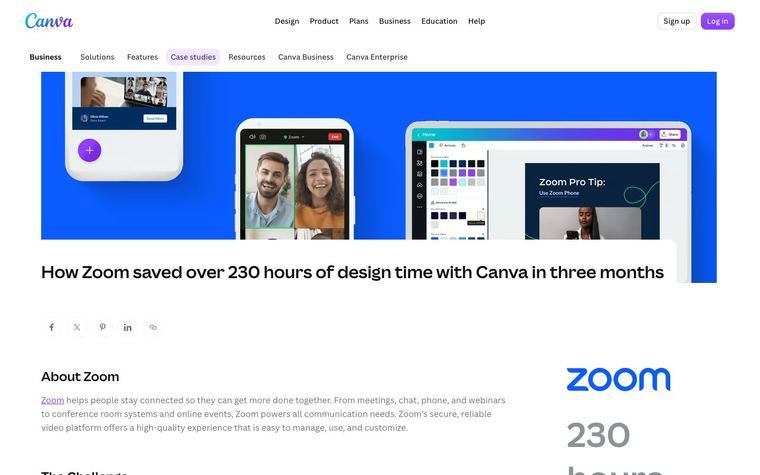
Show the customer's own product with your integration inside it, so the reader sees where your API lives in their app.
The move
The hero sets the long headline and a one-sentence summary beside a screenshot of Brightflow AI's Connections screen, where NetSuite shows as Connected. A left sidebar holds two stat tiles, "50%" cut in development and maintenance costs and "2" accounting platforms integrated, then Industry, Key integration and a Contact Sales card with "Speak To An Expert". The body runs through "The problem", "The solution" and "The impact", with a forecast chart and a NetSuite setup screen between sections and a quote from Xiaomei Zhang, Head of Engineering. "The impact" splits into three boxed subsections, "The future" lists Brightflow AI's planned products, and two related stories close the page.
Why it works
- Our readThe Connections screenshot in the hero shows the integration working inside the customer's product before the reader reads a word of the story.
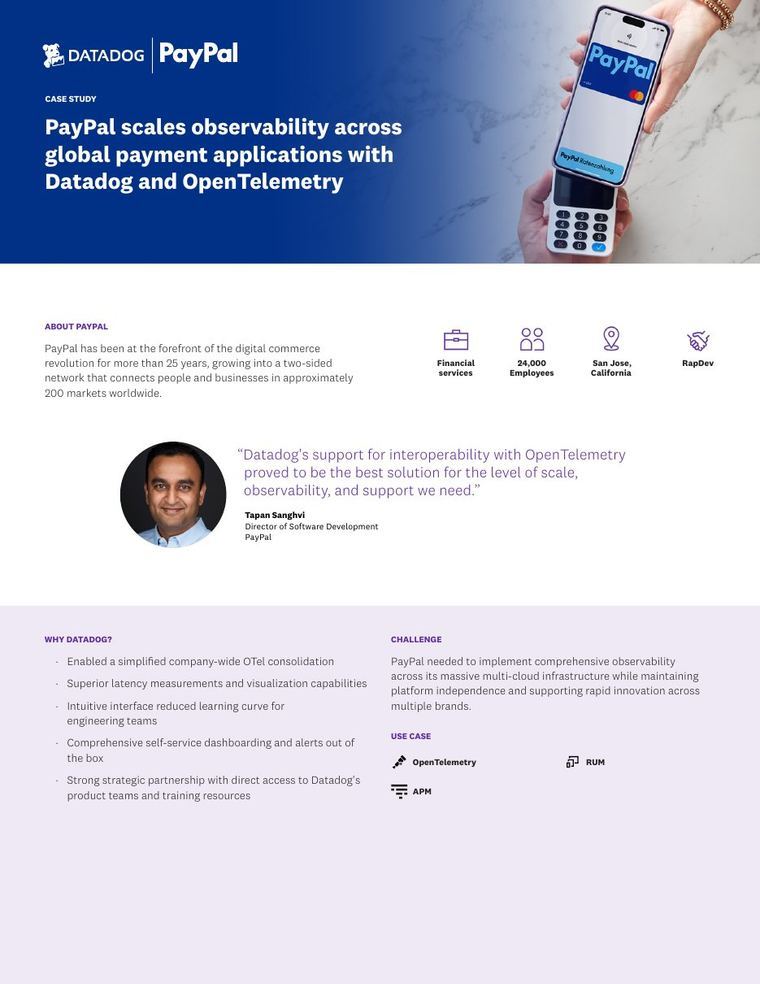
- Our readThe sidebar puts the two numbers, the industry and the integrated platforms beside the story, so a technical buyer can check fit without scrolling.
- Our readThe "at least 50%" figure appears inside a quote from the Head of Engineering, which ties the headline stat to a named person at the customer.
What not to copy
Don't copy the NetSuite and Xero specifics, the Y Combinator partnership angle or the customer's future product list. Keep the hero with the customer's own product screen, the sticky stat and firmographic sidebar with a sales card, the problem, solution, impact sections broken up by product screenshots, and a named engineering quote that carries the main number.
More from Rutter

More case studies

Steal it for your brand.
Tell us what you want to make. We’ll talk through how to put these ideas to work for your brand.