The lesson
Explain an AI integration by showing what people can ask, what signals they get back, and where they confirm the record before acting.
The move
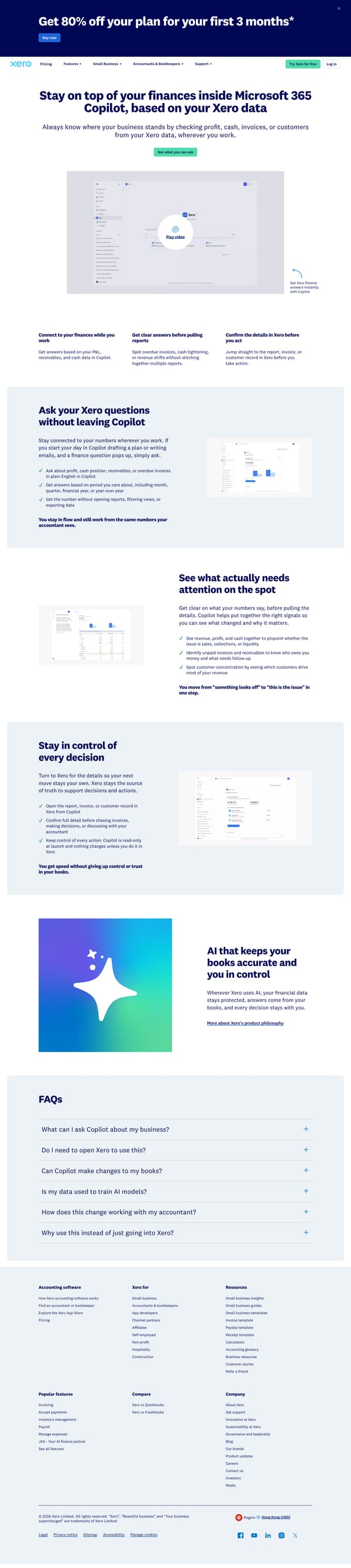
The page opens with the offer bar, then a hero reading "Stay on top of your finances inside Microsoft 365 Copilot, based on your Xero data" and a CTA to "See what you can ask." A short benefit row explains that users can get answers from P&L, receivables, and cash data, spot overdue invoices or cash tightening, and jump to records in Xero. The body then expands those ideas under "Ask your Xero questions without leaving Copilot," "See what actually needs attention on the spot," and "Stay in control of every decision." It closes with an AI trust section, a link to Xero's product philosophy, and FAQs about what Copilot can ask, whether it can change the books, and whether data trains AI models.
Why it works
- Our readThe headline names Microsoft 365 Copilot and Xero data together, so the reader understands the integration before any feature detail.
- Our readThe page repeats the control message in several forms, including confirming details in Xero and saying Copilot is read-only at launch.
- Our readThe sections move from instant answers, to spotting what needs attention, to checking the source record, which matches the path from question to decision.
What not to copy
Don't copy the Microsoft 365 Copilot framing unless the integration is the reason the page exists. Keep the flow from plain-English questions, to useful financial signals, to source-of-truth controls.
More from Xero

More landing pages








Steal it for your brand.
Tell us what you want to make. We’ll talk through how to put these ideas to work for your brand.