The lesson
Show the first-use path as a checklist so prospects can picture progress before they sign up.
The move
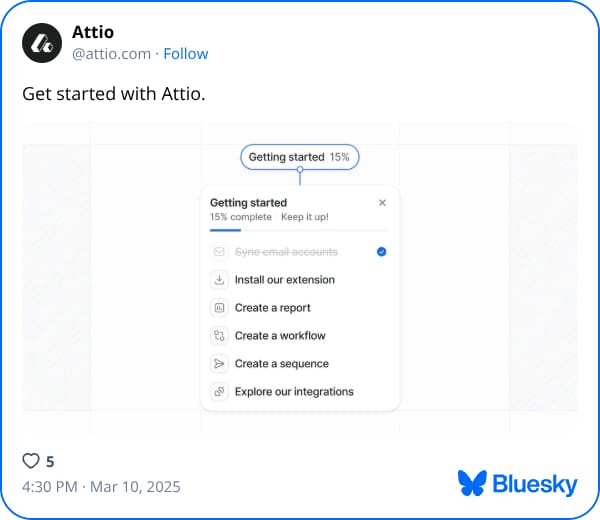
The post says, “Get started with Attio.” The image is a cropped Attio UI card titled “Getting started,” with a progress pill above it and checklist items like “Install our extension,” “Create a report,” “Create a workflow,” “Create a sequence,” and “Explore our integrations.” One completed item is greyed out, making the setup feel already underway rather than empty.
Why it works
- Our readA checklist makes onboarding feel finite and concrete instead of asking people to imagine what happens after signup.
- Our readThe crossed-off first task creates momentum; the viewer sees progress before they have done anything.
- Our readThe plain caption keeps attention on the product UI, which is the proof point for the promise.
What not to copy
Skip copying Attio’s exact setup tasks unless they match your product. Keep the move: show the smallest visible path from signup to useful progress.
More from Attio

More social posts


Steal it for your brand.
Tell us what you want to make. We’ll talk through how to put these ideas to work for your brand.